The Office Collection is a compact set of neutral, winter-leaning weapon finishes—think silver, white, and subtle camo—anchored by pieces like FAMAS | Contrast Spray and MP7 | Whiteout.
The Office Collection
The Office Collection is a compact set of neutral, winter-leaning weapon finishes—think silver, white, and subtle camo—anchored by pieces like FAMAS | Contrast Spray and MP7 | Whiteout.
Everything in the The Office Collection
6 items
Description
This small collection groups together restrained skins that favor pale palettes and utility-minded patterns, from marbleized blizzard effects to minimalist silver finishes. It works well for players who prefer subdued weapons that fit winter or urban loadouts while remaining easy to match across loadouts and player models.
Where These Skins Come From
Named collections like this gather a set of weapon finishes that circulate through CS2’s item ecosystem via drops, case openings associated with their release, and player-to-player trading. If you’re tracking availability, check the Steam Community Market, trade offers, and third-party marketplaces for listings tied to the collection.
Theme & Visual Design
The collection centers on cool, neutral tones and winter cues: clean silver plates, snowy marble effects, and pale camo patterns. Design language across the set is functional and understated rather than flashy, making these skins versatile for many playstyles and screenshots.
Standout Skins
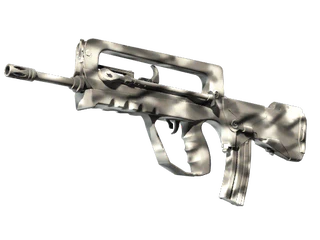
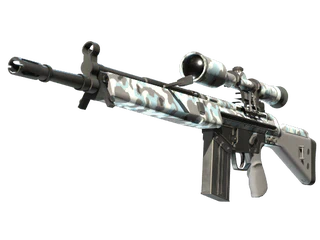
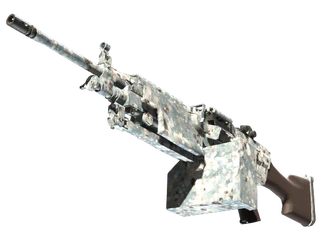
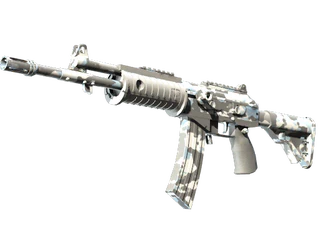
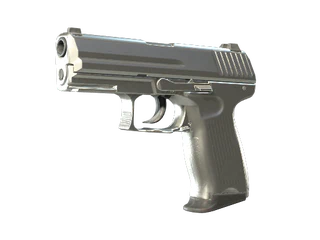
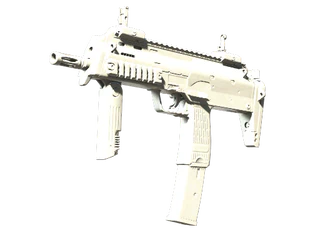
FAMAS | Contrast Spray has a crisp, high-contrast white-and-gray scheme that pairs well with tactical loadouts. MP7 | Whiteout and P2000 | Silver offer minimalist, almost monochrome looks ideal for a subtle arsenal. M249 | Blizzard Marbleized and G3SG1 | Arctic Camo bring winter motifs and surface texture, while Galil AR | Winter Forest adds muted woodland tones for a slightly warmer variation.
Rarity, Wear, and Pattern Variation
As with other CS2 skins, each item can appear in different wear categories and some finishes (notably marbleized or camo types) can display visible pattern variation. Always check the listing for float value and, where applicable, pattern index to confirm how the skin looks in-game before buying or trading.
How to Obtain and Trade
Acquire pieces through case openings tied to their release era, direct purchases on the Steam Community Market, or peer-to-peer trades on marketplaces like Skins.Cash. Before trading or buying, inspect item details for StatTrak status, float/wear, and screenshots to avoid surprises.
Collectibility and Set Building
Because the collection is compact and thematically consistent, assembling multiple pieces yields a cohesive white/neutral loadout that’s easy to complete. Collectors often look for low-wear examples or matching finishes across primary and secondary weapons to create coordinated sets.
Practical Buying Tips
Inspect each listing for float value, StatTrak status, and pattern photos—these directly affect how the skin appears in-game. Compare multiple listings to find the combination of wear and pattern you prefer, and use trustworthy marketplaces to verify item details and trade history.